
 chibiham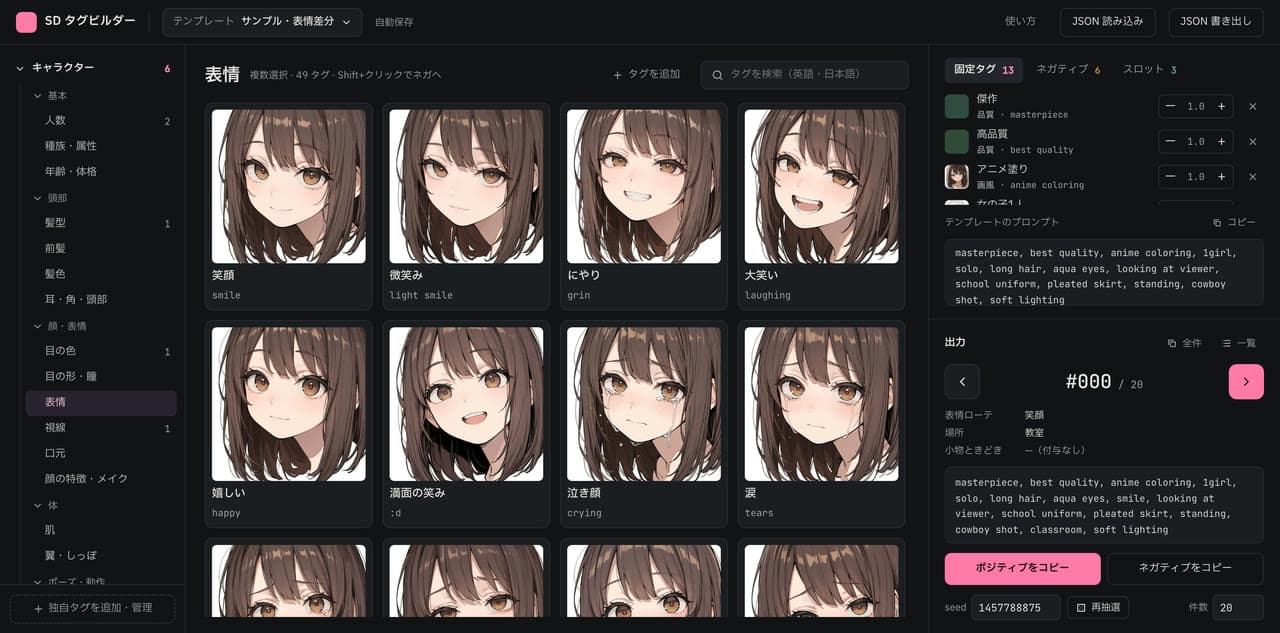
A tool for choosing Stable Diffusion (SDXL) tags by category with sample images, and for generating numbered series of prompts where the character stays the same and only parts like the expression or location change.
Production: sd-tag-builder.chibiham.app
Concept
When making image variations, most of the prompt stays the same — only a few parts such as the expression, location, or props change. Writing dozens of those variations by hand is tedious, and choosing tags by name alone doesn't tell you how they will actually render until you generate.
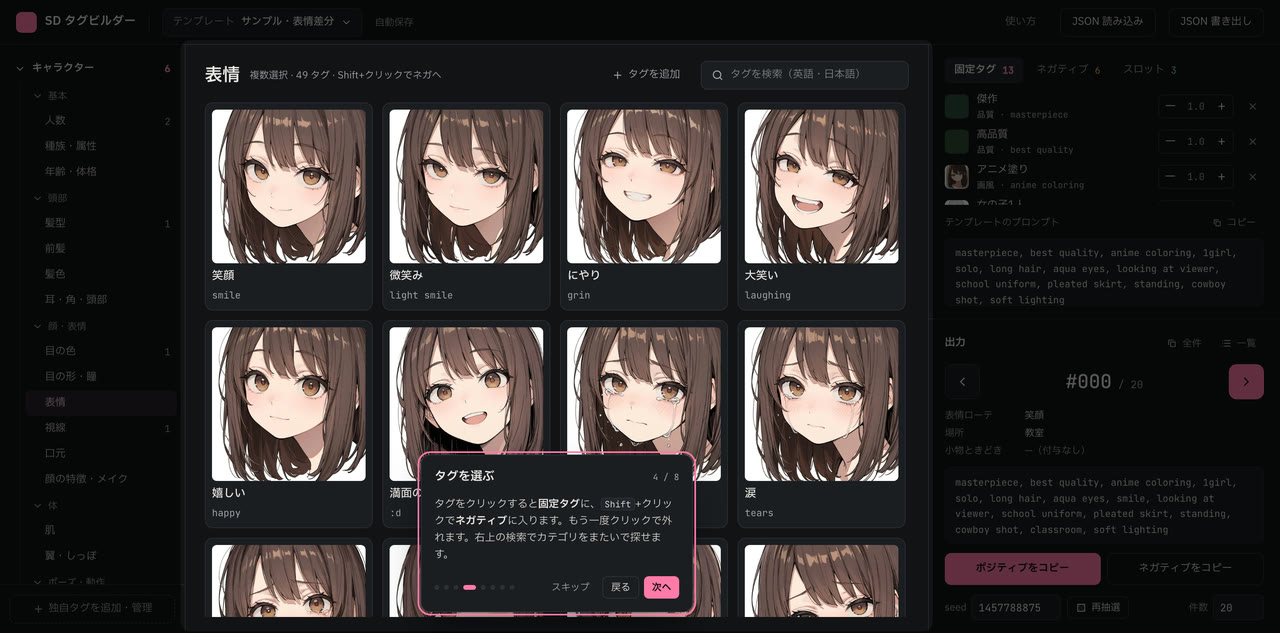
- Choose by sight: every tag has a sample image drawn with the same character, composition, and seed, so the only difference between images is the tag itself
- Separate what stays from what changes: a template is built from fixed tags, negative tags, and slots (pools of candidates to rotate through)
- Reproducible by number: the same seed and number always produce the same prompt, so you can regenerate just #004
- Works with any generator: output is just clipboard copies and plain text, usable with ComfyUI, WebUI, or anything else
Architecture
- Next.js 16 static export (
output: "export"): there is no server-side code;out/is served as-is as Cloudflare Workers static assets on a custom domain - Fully local: templates and custom tags are stored in the browser's IndexedDB — no accounts, database, or API
- Sample images ship with the build: 512×512 JPEGs are served alongside the app.
_headerscaches them for 7 days, while the image index (tag-samples.json) is always revalidated so regenerated images are refetched via?v=<generated-at>
Technology Choices
- No server
- All writes happen in the user's own browser, so IndexedDB is enough for storage. Backup and migration are handled by JSON export/import
- Requests to static assets are not billed, and Cloudflare doesn't charge for bandwidth. Serving over a thousand images costs nothing beyond the domain
- Zustand for state,
idbfor persistence- UI state and persistence live in one store with automatic saving. Tests cover saving and loading with
fake-indexeddb
- UI state and persistence live in one store with automatic saving. Tests cover saving and loading with
- Generation logic as pure functions, decoupled from React
generate(template, run, index)depends only on its inputs. It is tested independently of the UI, and the list view, copying, and export all go through the same function
- No UI library
- Buttons, dialogs, and even the onboarding tour are built with Tailwind CSS and plain React, keeping dependencies small relative to the feature set
Notable Implementations
Seed-reproducible numbered generation
For each slot, the tuple (seed, slotId, index) is hashed with FNV-1a to seed a PRNG (mulberry32). Every number gets an independent random stream, so any number can be computed directly without replaying the ones before it.
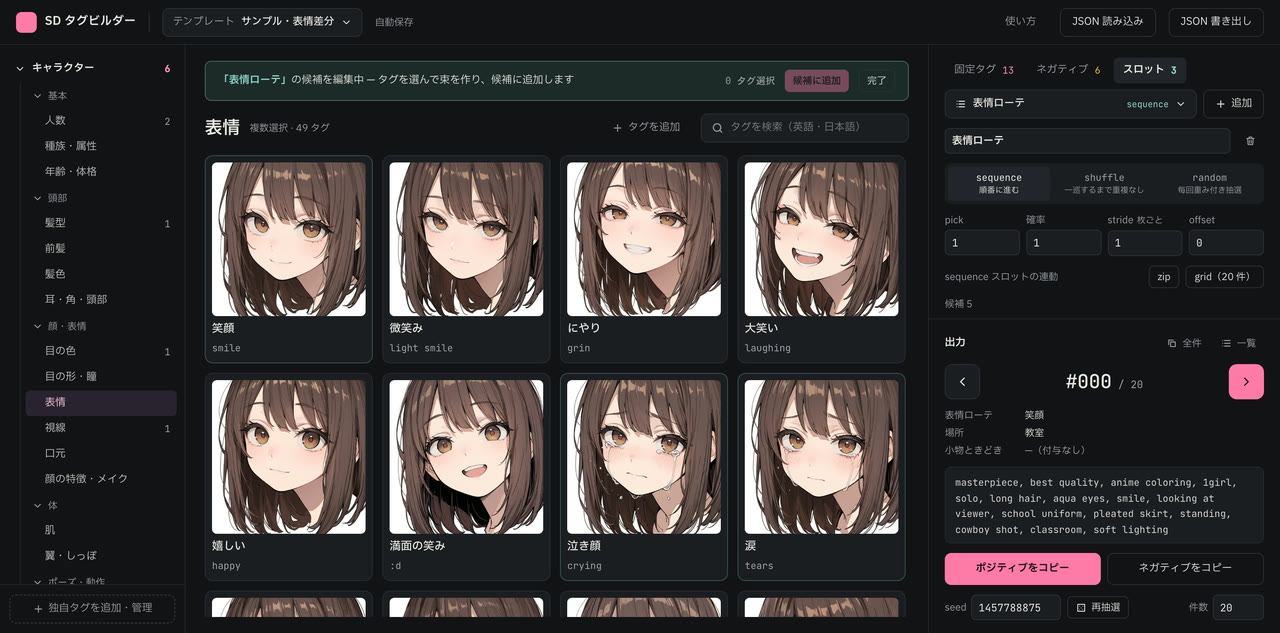
Slots advance in one of three modes:
- sequence: steps through candidates in order. It has a
stride(how many images per step) and anoffset, plus buttons that align multiple sequence slots to either advance together on every image (zip) or cover every combination (grid) - shuffle: builds a permutation per cycle so no candidate repeats until all have appeared. The cycle number is part of the seed, so any number can still be computed directly
- random: weighted draw per candidate
Every mode also supports how many candidates to pick at once and a probability of applying the slot at all.
Copy as you step
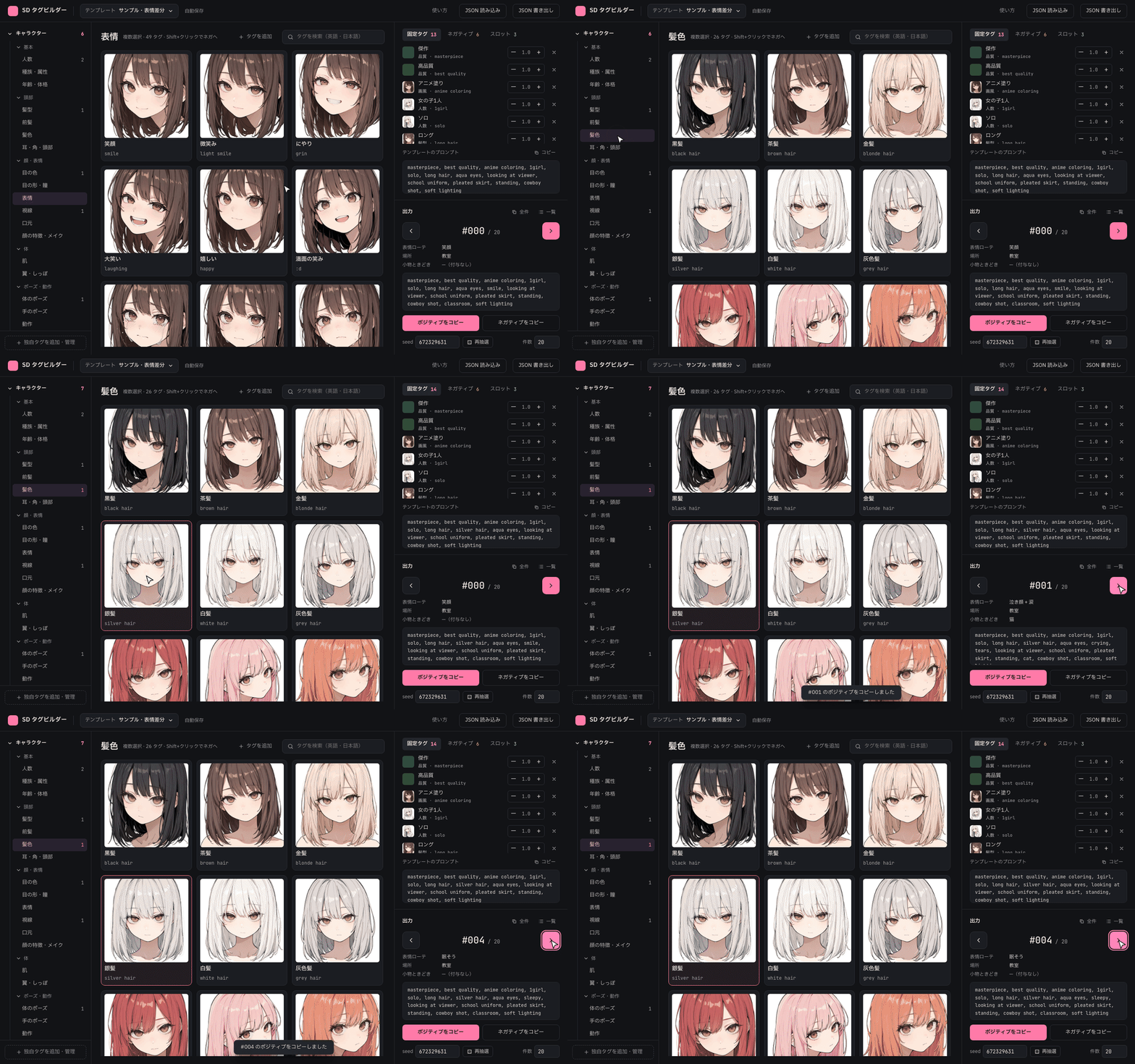
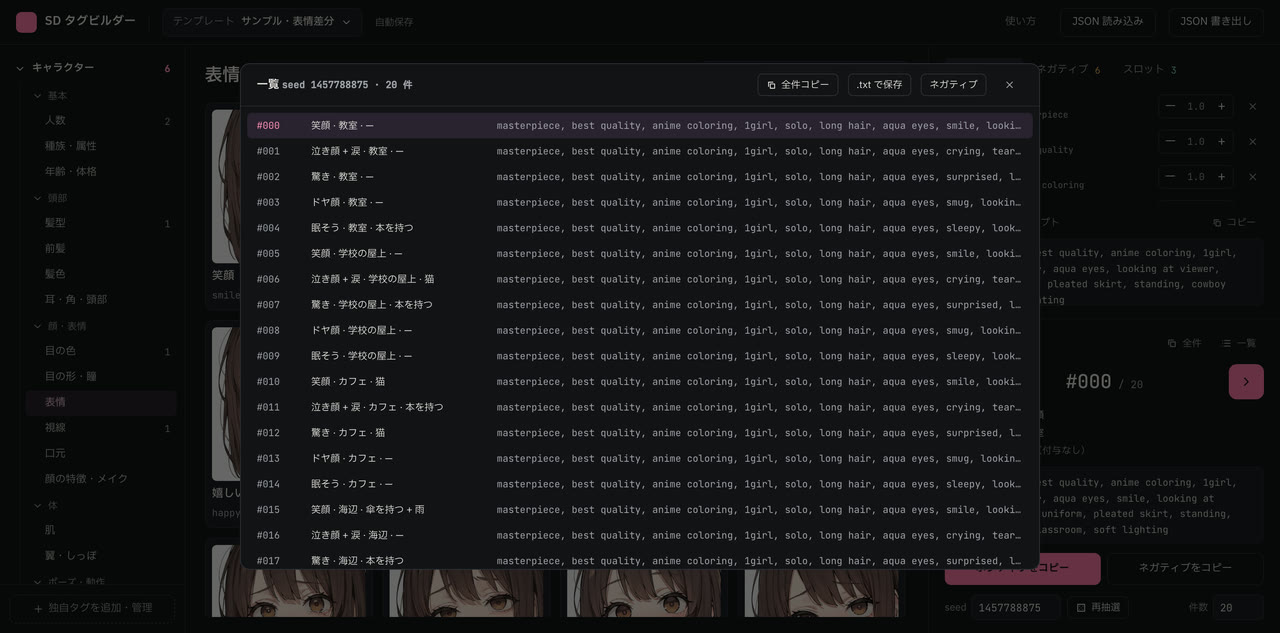
Stepping with the ← → keys (or the buttons in the output panel) copies that number's positive prompt straight to the clipboard, minimizing the back-and-forth of pasting into the generator and returning for the next one. All prompts can also be copied or saved as text with one prompt per line, and the list view shows which candidates were chosen for each number.
Sample images rendered on a home ComfyUI server
The sample images were generated on my home ComfyUI server (RTX 3090, SDXL). Each category has its own composition template, and the character, outfit, and seed are fixed so the tag is the only variable.
- New tags are added through a local-only admin UI: pick a category, enter the tag, and it renders a sample via the ComfyUI API. After a visual check,
tags.json, the image, and the index are updated together - The workflow registered in ComfyUI is called in API format, and the nodes to override are located by title rather than node ID, so rearranging nodes in ComfyUI doesn't break the script
- Characters are always clothed, with negatives that rule out suggestive compositions. Tags prone to more exposure use an adult character, are excluded from batch generation, and are always reviewed by eye before being adopted
Template presets and sharing
21 ready-made templates (expression sheets, character turnarounds, outfit rotations, and more) can be tried right away. A template can be exported as a single file to share, bundling any custom tags and images it uses. Custom tags alone can also be exported and imported as a zip (fflate).
Onboarding tour
On the first visit, a tour highlights each part of the screen in turn. It uses no library: it measures elements marked with a data-tour attribute and dims everything around them with a box-shadow cutout. For the slots step it switches the side panel automatically, then restores the original tab when the tour ends.
Development & Operations
- Tests (Vitest): the generator (how each mode advances, reproducibility, weights), store save/load, zip round-trips, verifying that presets only use built-in tags, and sample-prompt construction
- Deploy:
next build→wrangler deploy. There is no Worker code — only static assets are served - Cost: Cloudflare Workers free tier plus the domain